

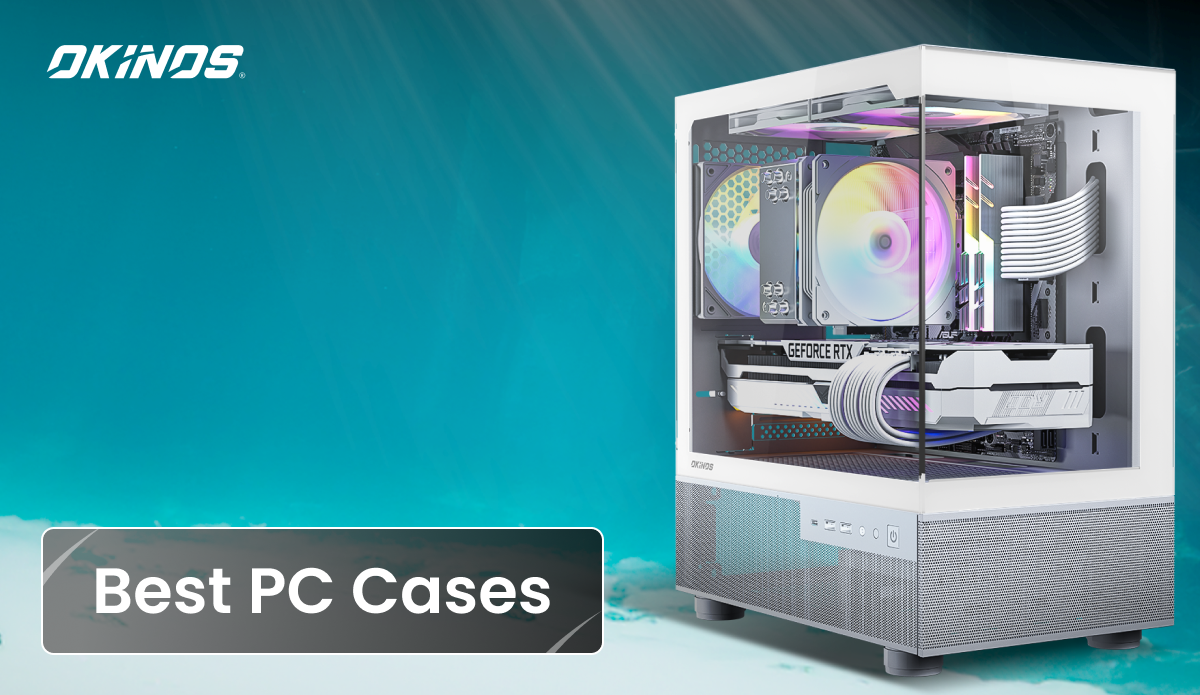
The backbone of your PC build lies in choosing the right computer case, and it’s not just about the looks. A great case affects airflow, cooling, component compatibility, and even noise levels, impacting every part from your CPU to GPU. Whether you’re going for high performance, a compact setup, or a premium showcase, the case you pick sets the foundation for a smooth, powerful, and reliable system. In this guide, we’ll explore the best PC cases across different categories, from gaming and high airflow to SFF, the coolest, and high-end designs, helping you pick the ideal case for your setup. Let’s go!
Our Picks for Top-Rated Computer Cases
Best PC Cases Under Different Categories
Best Overall: Fractal Design Meshify 3
First, we give the prize of the Best Overall to the Meshify 3 for nailing the fundamentals without leaning too hard into any single trend. It delivers excellent airflow, low noise, solid build quality, and strong upgrade flexibility, which is exactly what most builders actually need. Whether you are putting together a clean mid-range gaming rig or planning a high-performance upgrade later, this case adapts without forcing compromises. The signature angular mesh front is not just for looks. It is designed to move air efficiently, feeding your CPU and GPU with fresh airflow instead of choking them behind thick filters. Yes, it lets a bit more dust in, but that trade-off keeps temperatures down and fans quieter. Cleaning is easy, and the performance payoff is worth it. The three included 140 mm Momentum fans are a big win here, offering strong airflow with noticeably lower noise than typical stock fans. Fractal’s internal layout is clean and practical. A PSU shroud air scoop helps push airflow toward the GPU, while deep cable channels and Velcro straps make cable management painless. Support for E-ATX down to Mini-ITX boards, long GPUs up to around 349 mm, and large radiators means the Meshify 3 stays relevant as your hardware evolves. The Fractal Design Meshify 3 is perfect for builders who want one dependable case that does everything well. If you are looking for a single, safe recommendation that works for gaming, productivity, air cooling, liquid cooling, and future upgrades, this is why it stands as the Best Overall PC case.
Pros
|
Cons
|
Best Budget Mid-tower: Okinos Air Cross
What makes the Okinos Air Cross stand out as one of the best budget mid-tower cases is its smart, purpose-built dual-channel cooling design. Instead of pushing all airflow through a single path, the Air Cross splits cooling into two optimized routes: a horizontal airflow path for the CPU and a vertical airflow path dedicated to the GPU. This setup helps each component get the cooling it needs without competing for air. With five pre-installed PWM fans, the case delivers strong, balanced airflow right out of the box, with no extra fan upgrades required. To further improve GPU cooling, the PSU is front-mounted, and the HDD cage is relocated, leaving the bottom intake completely open. This allows cool air to flow straight upward to the graphics card. By eliminating common airflow blockages found in many budget cases, the Air Cross significantly improves GPU temperatures. It’s a simple but effective cooling solution that solves one of the biggest pain points in modern gaming builds, even for first-time PC builders. Out of the box, the Air Cross includes pre-installed PWM fans that provide consistent airflow and sensible noise levels. The internal airflow path is designed to avoid dead zones, helping hot components breathe even under sustained gaming loads. For a mid-tower in this price range, that kind of thermal stability is a big win and makes the case feel more premium than its category suggests. Building inside the Air Cross is refreshingly straightforward. Cable routing space is generous, and the layout supports modern cable-hiding approaches, including back-connect or BTF-style motherboard designs. That means cleaner-looking builds with less effort, even if this is your first time assembling a PC. For budget-conscious builders who want strong cooling, a clean-looking build, and zero headaches, the Okinos Air Cross stands out as a smart, no-nonsense mid-tower choice.
Pros
|
Cons
|
Best Mid-range: Corsair 4000D RGB “Frame” Edition
The Corsair 4000D RGB “Frame” Edition earns its Best Mid-Range spot by bringing genuinely useful modular features down to a price point that still makes sense. Around the $120 range, it upgrades the already popular 4000D design with smarter, more flexible building options, without turning the case into a complicated project. This balance of innovation and simplicity is exactly what mid-range builders are looking for. What sets the Frame Edition apart is its tool-less modular design. The fully removable motherboard tray makes initial assembly and upgrades far less stressful, especially when installing large coolers or routing cables. A quick-release PSU shroud simplifies power supply installation, and the adjustable PCIe bracket supports vertical GPU mounting right out of the box, no aftermarket brackets required. These features are optional, not forced, so you can take advantage of them only if they suit your build. The mesh front panel, paired with three included RGB fans, delivers strong airflow with a clean visual punch. Redesigned fan and radiator rails allow vertical adjustment, letting you fine-tune airflow for your CPU and GPU instead of locking you into fixed positions. The interior is spacious enough for high-end components, yet still easy to work in, making it feel polished rather than intimidating. Overall, the 4000D Frame Edition is ideal for builders who want premium flexibility, solid cooling, and RGB style without jumping into high-end pricing.
Pros
|
Cons
|
Best for Gaming: NZXT H9 Flow
The NZXT H9 Flow is no doubt the Best for Gaming because it is engineered around one priority: keeping high-powered components cool when the load stays high. This dual-chamber ATX mid-tower is built for modern gaming hardware, especially large, heat-heavy GPUs, and it shows in real-world performance. Where many cases focus on CPU airflow first, the H9 Flow puts serious attention on GPU cooling, which matters most in long gaming sessions. The standout feature is the bottom-mounted intake fan setup, which pushes fresh air directly into the graphics card. With support for three 120 or 140 mm bottom intake fans, the H9 Flow delivers exceptional GPU temperatures, even with ultra-high-end cards like RTX 40-series models. Under higher fan speeds, both GPU and CPU cooling remain top-tier, helping prevent thermal throttling during extended gaming or stress-heavy titles. Beyond cooling, the H9 Flow nails the gaming aesthetic. Its panoramic tempered-glass front and side panels put your RGB components fully on display, creating a clean showcase look without sacrificing airflow. Radiator support is generous, with room for large dual radiators, and storage support scales easily with up to six SSDs. Altogether, it is an ideal choice for gamers building a visually striking, high-performance system that can be pushed hard without thermal worries.
Pros
|
Cons
|
Best High-end: Cooler Master HAF 700 EVO
Here we crown the Cooler Master HAF 700 EVO as our Best High-End pick, thanks to its truly no-compromise design that pushes performance, features, and build quality to the extreme. This is not a case built to hit a price target. It is built to showcase what is possible when airflow, modularity, and premium features all take priority. Everything about the HAF 700 EVO feels oversized and intentional, from its massive chassis to its flagship-level feature set. True to the HAF name, airflow is the star. The case ships with massive 200 mm intake fans that move huge volumes of air at low RPM, delivering excellent cooling without excessive noise. Support for up to fifteen fans and multiple large radiators makes it a thermal powerhouse, capable of cooling the most demanding CPUs and GPUs without breaking a sweat. Reviews consistently show top-tier thermal performance that matches its flagship status. Apart from cooling, the HAF 700 EVO is packed with premium touches. A built-in LCD front panel, edge-lit tempered glass, rotatable fan brackets, vertical GPU mounting, and enormous internal clearance all reinforce its high-end positioning. It can even support dual systems or the largest E-ATX motherboards, making it ideal for extreme builds. This is a case designed to impress visually and functionally, and it does both unapologetically.
Pros
|
Cons
|
Best Airflow: Fractal Design Torrent
When raw air cooling is the priority, the Fractal Torrent still sets the benchmark. This case was designed from the ground up to move as much air as possible with minimal restriction, and it shows in real-world results. Even years after its release, the Torrent continues to sit at the top of many thermal charts, especially in noise-normalized GPU cooling, where it competes with, and often beats, much newer designs. The Torrent ships with an aggressive fan setup that includes dual 180 mm front intake fans, paired with additional large fans to create a powerful front-to-back and bottom-to-top airflow path. This design is ideal for high-TDP GPUs and air-cooled, overclocked CPUs that need a constant supply of fresh air. Unlike many airflow cases, Fractal also includes full-size dust filters on every intake, so you get excellent cooling without sacrificing dust protection. Internally, the Torrent skips a traditional PSU shroud and mounts the power supply at the top of the case. This leaves the bottom intake fans completely unobstructed, allowing cool air to flow directly into the GPU and CPU area. The result is consistently low temperatures under sustained load. It is not the quietest case, and it is undeniably large, but for builders who care about cooling above everything else, the Torrent remains a proven air-cooled powerhouse.
Pros
|
Cons
|
Best Water-cooling: Thermaltake Core P8
The Thermaltake Core P8 wins Best Water-Cooling because it doesn’t try to fit water-cooling in, but is built for it from the start. Its transformable open-frame design lets you run it as a fully enclosed tempered-glass showcase or as an open-air test bench, giving liquid-cooling builders total freedom in how they design and access their loop. Size and modularity are the Core P8’s biggest strengths. It supports E-ATX motherboards and an extreme amount of cooling hardware, with room for up to eighteen 120 mm fans and multiple large radiators at once, including 360 mm and even 480 mm options depending on placement. It is also certified under Thermaltake’s LCS (Liquid Cooling) standards, meaning it is designed specifically to handle complex custom loops with pumps, reservoirs, and distribution plates without compromises. There is ample space to route tubing cleanly and experiment with advanced loop layouts. The Core P8 goes beyond cooling flexibility with features like rotatable PCIe slots for vertical GPU mounting, support for a second PSU or a secondary mini-ITX system, and expansive tempered glass panels that put your loop on full display. It is undeniably large and becomes very heavy once fully built, but for enthusiasts who want maximum creative freedom and no limits on water-cooling design, the Core P8 remains one of the most capable platforms available.
Pros
|
Cons
|
Best SSF: SilverStone Sugo 16
The SilverStone Sugo 16 claims its Best SFF award by shattering the myth that small cases demand big compromises. Packed into a compact footprint, it still welcomes serious hardware, showing that smart layout and engineering can deliver full-scale performance in a truly space-saving design. At roughly 13 liters, this mini-ITX cube squeezes an impressive amount of performance potential into a tiny footprint, making it one of the most capable ultra-compact cases on the market. SilverStone’s long experience with SFF design shows here, as every inch of space is used with purpose. Despite its size, the Sugo 16 supports standard ATX or SFX power supplies, dual-slot GPUs up to around 275 mm, and even a 120 mm AIO liquid cooler. That makes it realistic to build a serious gaming or productivity system with modern high-end components. The internal layout is carefully arranged to keep airflow moving efficiently around the GPU and a mid to high TDP CPU, which is critical in such a compact enclosure. Ventilated front and top panels, both with dust filters, help maintain stable temperatures for an SFF build. While planning is still required, as with any small-form-factor case, SilverStone adds thoughtful touches like a slide-off top panel and a motherboard tray cut-out that simplifies CPU cooler installation. The result is a compact, understated case that fits clean desks, LAN setups, or minimalist workspaces while still allowing serious performance hardware.
Pros
|
Cons
|
Best Mini-ATX: Lian Li Q58
The Lian Li Q58 earns its Best Mini-ATX spot by striking one of the best balances ever seen in a compact ITX-focused chassis. At around 14.3 liters, it stays firmly in small-form-factor territory while avoiding the usual compromises that make many mini cases frustrating to live with. It is flexible, powerful, and thoughtfully designed, which is why it is often recommended as the safest Mini-ITX choice for most builders. The Q58’s split side panels, half tempered glass and half mesh, are a big part of its appeal. You get visual flair for RGB components without sacrificing airflow. Cooling potential is impressive for its size, with support for up to a 280 mm radiator in the top. Unusually, you can also reconfigure the layout to fit an ATX power supply instead, giving builders more flexibility than most ITX cases allow. Inside, the Q58 supports a 3-slot GPU up to roughly 320 mm long and an SFX-L PSU by default, making high-end graphics cards a realistic option. The internal layout is clever and modular, helping keep the build process manageable despite the tight space. Cable management does require care, but Lian Li’s excellent fit and finish help smooth the experience. In summary, the Q58 combines sleek looks, excellent cooling potential, and impressive component support, making it an easy pick for a high-performance Mini-ITX build.
Pros
|
Cons
|
Best Micro-ATX: Okinos Aqua 3 ARGB Black
What makes the Okinos Aqua 3 ARGB Black the best Micro-ATX case isn’t about cramming in more features—it’s about making smart design choices that truly fit this smaller form factor. Instead of shrinking an ATX case and calling it a day, the Aqua 3 is purpose-built for Micro-ATX, focusing on space efficiency, airflow behavior, and everyday ease of use. The result is a compact mini-tower that feels intentional, not compromised. Unlike many Micro-ATX cases that try to balance airflow in ways that add bulk and complexity, the Aqua 3 uses a controlled negative-pressure airflow design. By default, it runs two top fans and one rear fan as exhaust, pulling hot air upward and out of the case in line with natural heat movement. This setup keeps internal temperatures under control while avoiding extra intake hardware, allowing the case to stay compact without sacrificing cooling performance, a smart tradeoff for Micro-ATX builders. The value proposition is just as clear as the design. Priced at $59.99 and including three pre-installed ARGB fans, the Aqua 3 delivers a complete cooling and lighting setup right out of the box. There’s no immediate need for fan upgrades, making it an excellent choice for budget-conscious gamers and first-time builders who still want modern looks and reliable thermal performance. Despite its affordable price, the Aqua 3 consistently receives strong user feedback for solid build quality and thoughtful details. Features like magnetic dust filters, an included fan hub, and smooth-sliding tempered glass panels make building and maintenance simple. Real-world builds confirm that the airflow works as intended when set up correctly. With stable quality control and responsive after-sales support, the Aqua 3 stands out as a Micro-ATX case you can choose with confidence—affordable, well-engineered, and easy to live with long term.
Pros
|
Cons
|
Best Compact ATX: Phanteks Eclipse P360A
The Phanteks Eclipse P360A takes the name of Best Compact ATX by doing something refreshingly simple: it keeps full ATX compatibility while trimming away unnecessary bulk and cost. For builders who want a standard ATX motherboard without a towering, space-hogging chassis, the P360A hits a sweet spot that very few cases manage, especially at its price. Despite its compact dimensions, the P360A is an airflow champ in its class. A fine mesh front panel paired with two included 120 mm D-RGB fans delivers excellent intake performance, often rivaling larger and more expensive cases. Phanteks keeps the interior open and unobstructed, with no front drive cages blocking airflow, which helps both CPU and GPU stay cool even under sustained loads. Inside, the P360A feels far less cramped than its size suggests. It supports GPUs up to around 400 mm, accommodates 240 or 280 mm radiators, and offers enough cable management space to keep things tidy. A built-in RGB controller is a nice bonus for systems without motherboard RGB headers. While materials are understandably lighter and extras like USB-C are missing, those trade-offs help keep the price low without hurting performance.
Pros
|
Cons
|
Best Full-tower: Phanteks Enthoo 719 (Luxe 2)
If you need maximum expansion and space, the Phanteks Enthoo 719 is a dream full-tower, especially for multi-GPU or dual-system setups. This case is built for users who know they need more, more hardware, more storage, more cooling options, and more room to experiment. The Enthoo 719 supports just about everything you can throw at it, including SSI-EEB workstation motherboards, dual power supplies, and multiple thick 360 mm or 420 mm radiators. Storage is a standout feature, with support for up to twelve 3.5-inch drives out of the box and even more with optional brackets. One of its most impressive tricks is native dual-system support, allowing you to mount a secondary Mini-ITX system inside the same case without buying extra accessories. Despite its solid front and top panels, airflow remains strong thanks to hidden side ventilation channels, all protected by large dust filters. Cable management is excellent, with hinged metal covers that hide cable runs and keep the interior looking clean. The case ships without fans on purpose, giving builders full control over their cooling strategy. It is undeniably large, but for anyone who needs maximum flexibility for high-end gaming, water cooling, or storage-heavy workloads, the Enthoo 719 feels less like a case and more like a long-term platform.
Pros
|
Cons
|
Best Aesthetic: Lian Li O11 Dynamic EVO RGB
The Lian Li O11 Dynamic EVO RGB is the most visually striking PC case you can choose, perfect if you want your build to look as premium as it performs. From the outside, this case makes an immediate statement. Its clean, modern silhouette paired with dual tempered glass panels turns your PC into a true display piece, putting your components and lighting fully on show. The EVO RGB version elevates this further with L-shaped ARGB light strips along the top and bottom of the chassis, delivering smooth, customizable lighting effects that sync with your motherboard or run independently for a dramatic, eye-catching glow. The modular design is a major highlight. The removable front pillar creates an uninterrupted view of the interior, while the flexible layout allows you to rearrange components to match your preferred aesthetic or airflow setup. Whether you are building a sleek blacked-out system or a vibrant RGB-heavy showcase, the tempered glass front and side panels ensure the build itself becomes the centerpiece. Inside, there is no compromise on performance. The spacious interior supports E-ATX through Mini-ITX motherboards, large GPUs, and extensive cooling options. A roomy second chamber and refined cable management help keep everything tidy, clean, and camera-ready.
Pros
|
Cons
|
Best Silence: be quiet! Dark Base Pro 901
If your goal is a powerful system that fades into the background acoustically, the Dark Base Pro 901 sets the gold standard. This flagship E-ATX tower is engineered around noise reduction, and it delivers. Thick sound-dampening panels, smart airflow control, and carefully tuned internals allow it to dramatically reduce noise from high-end CPUs and GPUs, even under load. In real-world testing, it consistently ranks among the quietest cases ever made. The 901 includes three premium 140 mm Silent Wings 4 fans and an integrated fan hub with selectable profiles, making it easy to fine-tune the balance between cooling and silence. One of its standout features is its modular panel system. Solid panels maximize noise isolation, while included mesh panels let you switch to higher airflow when needed. It is essentially two cases in one, silence-focused or airflow-optimized, depending on your setup. Beyond acoustics, the Dark Base Pro 901 feels unapologetically high-end. It supports reversible and inverted motherboard layouts, extensive storage configurations for workstation builds, and even includes Qi wireless charging on the top panel. Build quality is excellent throughout, reinforcing its role as a long-term, no-compromise platform for quiet computing.
Pros
|
Cons
|
Best for Beginners: NZXT H7 Flow
Here comes the case that makes your first PC build feel far less intimidating than it should. The NZXT H7 Flow shines by removing friction at every step of the building process, from opening the panels to routing cables and dialing in airflow. It is often described as a joy to build in, and that reputation is well deserved. NZXT keeps the layout clean, spacious, and largely tool-free. The tempered glass side panel opens with a simple pull tab, giving you instant access without screws or awkward clips. Inside, the open interior layout leaves plenty of room to work, making component installation straightforward even if this is your first time. Cable management is where the H7 Flow really shines. Wide Velcro straps and clearly defined routing channels almost guide the cables into place for you, helping beginners achieve a clean build with minimal effort. Cooling is just as beginner-friendly. The perforated front panel and three included 120 mm fans deliver solid airflow out of the box, so there is no need for complex tuning. With support for large GPUs, tall air coolers, and future upgrades like 360 mm radiators, the H7 Flow grows with you. Its clean, understated design also means it looks great in almost any setup, making it an easy, confidence-boosting first choice.
Pros
|
Cons
|
Best for Long GPUs: Corsair 7000D Airflow
When GPU length anxiety is a thing, the Corsair 7000D Airflow makes it disappear completely. This full-tower is built with extreme hardware in mind, offering up to 450 mm of GPU clearance, which is enough for virtually any current or future graphics card you can think of. Even with large front-mounted radiators installed, you still have around 400 mm to work with, making oversized, triple, or quad-slot GPUs a total non-issue. The 7000D does not just rely on brute space. Its high-airflow mesh front panel and three included 140 mm fans ensure that massive GPUs get the cooling they need under sustained load. Reviews often describe it as a high-end workstation powerhouse, with support for multiple 480 mm radiators and an expansive internal layout that easily handles flagship cards like RTX 4090-class monsters. Corsair even includes a sturdy GPU support bracket in the box, which is a welcome detail when dealing with heavy, long cards that are prone to sag. While smaller Corsair cases can still fit long GPUs, the 7000D Airflow is the stress-free option. If you want absolute freedom to choose the biggest graphics card available without measuring twice or compromising airflow, this case delivers total peace of mind.
Pros
|
Cons
|
Best for Dust Control: HYTE X50 Air Modern
Speaking of dust control, the HYTE X50 Air Modern absolutely shines by proving that keeping dust out does not have to come at the expense of airflow. Instead of relying on thick, restrictive filters, HYTE uses full-coverage micro-mesh panels across the main intake areas. These low-resistance mesh surfaces allow air to flow freely into the case while stopping larger dust particles before they ever reach your components. The front and side panels feature a highly perforated steel design that maintains strong, even airflow throughout the case, helping fans run efficiently without pulling in excessive debris. For the area most vulnerable to dust buildup, the bottom intake, the X50 Air includes a magnetic dust filter that is easy to remove and clean. This is especially useful for protecting the power supply and any lower-mounted fans, making routine maintenance quick and painless. Rather than sealing everything off, the X50 Air takes a balanced approach. The micro-mesh handles most of the filtering, which means occasional surface cleaning is part of the deal. In return, you get a case that stays cleaner than typical open-mesh designs while still delivering excellent thermal performance, making it a smart choice for builders who value both airflow and a dust-conscious setup.
Pros
|
Cons
|
Best for Overclocking/High Thermals: HAVN BF 360
When you start pushing voltages higher and clocks harder, the HAVN BF 360 Flow is exactly the kind of case you want backing you up. This mid-tower is engineered almost obsessively around airflow and heat removal, making it one of the strongest choices for sustained high-thermal loads. Rather than chasing aesthetics or silence, HAVN focused on one mission: move heat out of the system as efficiently as possible. The BF 360 uses an aggressively ventilated design with mesh panels on multiple sides and support for serious intake capacity, including three 140 mm front fans plus additional side and bottom intakes. Its standout feature is a back-to-front, chimney-style airflow path that pulls hot air directly upward and out of the case. With support for dual 360 mm radiators on the front and side, it is built to handle heavily overclocked CPUs, power-hungry GPUs, or even multi-GPU setups without thermal bottlenecks. On the inside, the split-chamber layout isolates PSU and drive heat, while careful fan placement eliminates dead zones that trap warm air. Reviews consistently place the BF 360 among the top performers for both CPU and GPU thermals, often landing just a few degrees behind the absolute airflow leaders. It is not subtle, and it is not cheap, but for enthusiasts who care about raw cooling headroom above all else, the BF 360 feels purpose-built for extreme performance.
Pros
|
Cons
|
Best for Workstation: Phanteks Enthoo Pro 2
When it comes to serious workstation builds, the Phanteks Enthoo Pro 2 feels less like a consumer PC case and more like a configurable server chassis that happens to look clean on a desk. It earns this title by offering massive expansion, extreme cooling potential, and storage flexibility that content creators, engineers, and power users actually need. The full-tower interior supports E-ATX and even SSI-EEB motherboards, making it suitable for workstation-class platforms and dual-CPU setups. With up to 11 PCIe slots, installing multiple GPUs, capture cards, RAID controllers, or accelerator cards is straightforward. Storage is a major strength as well. The Enthoo Pro 2 can natively house up to twelve 3.5-inch hard drives, along with multiple SSDs, making it ideal for large project libraries, media caches, or data-heavy workflows. Cooling is equally uncompromising. A full mesh front panel feeds air directly into the system, with support for multiple 140 mm fans or large radiators. You can mount several 360 mm or even 480 mm radiators across the front, top, and side at the same time, which is more than enough for Threadripper, Xeon, or multi-GPU workloads. Add in excellent cable management space and optional dual-PSU support, and the Pro 2 becomes a flexible, long-term workstation platform that can scale with your needs.
Pros
|
Cons
|
Best Showcase: HYTE Y60
If your PC is meant to be admired, not hidden under a desk, the HYTE Y60 is in a league of its own. This case is designed like a display box for high-end hardware, with its signature panoramic tempered-glass panels creating a dramatic corner “aquarium” view. From almost any angle, your components are front and center, turning the build itself into the star of the room. The Y60’s vertical GPU mounting steals the spotlight, transforming the graphics card into a centerpiece rather than a background part. Its dual-chamber layout keeps cables, power supplies, and storage tucked neatly out of sight, preserving a clean, gallery-like interior. While the focus is clearly on visuals, it still supports serious cooling setups, with flexible fan layouts and radiator options, including large top-mounted radiators depending on configuration. The result is a case that balances eye-catching design with real-world usability.
Pros
|
Cons
|
Best RGB Ecosystem: Corsair iCUE 5000T RGB
If RGB is your language, the Corsair iCUE 5000T RGB speaks it fluently and loudly. This case is less about adding lights and more about becoming the lighting system itself. With a jaw-dropping 208 individually addressable RGB LEDs built into the chassis, fans, and light strips, the 5000T turns your entire PC into a synchronized light canvas. Everything is controlled through Corsair’s iCUE software, making it effortless to sync your case lighting with Corsair fans, AIOs, RAM, keyboards, and even game-specific effects. What makes the 5000T special is cohesion. The included LL120 RGB fans, integrated light strips behind the mesh front and along the top, and the bundled Commander Core XT hub mean you are not juggling cables, hubs, or software. It all just works. Underneath the glow, it is still a solid, builder-friendly mid-tower with strong airflow, plenty of space, and clean cable management, essentially a premium, RGB-infused evolution of the 5000D.
Pros
|
Cons
|
How to Choose the Best PC Case
- Size and Component Compatibility: Start with the basics: make sure the case supports your motherboard form factor (e.g., ATX, Micro-ATX, Mini-ITX) and has room for your GPU, CPU cooler, and storage drives. Larger cases often offer more flexibility and easier builds, while compact cases save space but may limit parts and cooling options.
- Cooling and Airflow: Good airflow prevents high temperatures that can throttle performance and shorten component life. Look for cases with mesh panels, multiple fan mounts, and radiator support for liquid cooling. Space for extra fans and unobstructed air pathways keeps your system stable under load. Check out our guide on the difference between liquid cooling and air cooling.
- Aesthetics and Style: Your PC case is also a visual centerpiece. Choose a style that matches your taste, from minimalist designs to RGB lighting and tempered glass windows. Keep in mind that flashy panels can sometimes reduce airflow if not well-designed.
- Front Panel Connectivity: Check front I/O options like USB-A, USB-C, headphone/mic jacks, and buttons for fan or RGB control. Modern front panels with USB-C are especially handy for fast peripherals.
- Build Quality and Features: Quality materials, dust filters, cable management channels, and easy-to-remove panels make building cleaner and easier. Good cable routing and dust control keep airflow efficient and maintenance simple.
- Brand Reputation and Customer Support: Reliable customer support matters more than many builders expect. Brands with clear warranties, responsive support teams, and easy access to replacement parts provide peace of mind if issues arise after purchase.
Okinos’ Best PC Cases Available Now
When it comes to the PC case that performs as nicely as it looks, Okinos delivers the perfect balance of airflow, build quality, and modern design. Our latest lineup is best understood through how real people actually build, use, and talk about their PCs. Each model is designed for a specific type of builder, validated by hundreds of real-world builds and reviews across YouTube.
Best Micro-ATX for Beginners & PC Flippers: Aqua 3 ARGB Compact Micro-ATX design with simple airflow and tool-friendly assembly makes Aqua 3 ARGB ideal for first-time builders and PC flippers. Its layout supports clean builds, easy upgrades, and consistent thermal performance. On YouTube, hundreds of builds feature Aqua 3, showing its popularity among beginners and budget-conscious builders.
🔎 YouTube search: Okinos Aqua 3
Best Full-Size ATX for Style & Performance: Air Cross Air Cross combines modern styling with practical dual-channel airflow for CPU and GPU, delivering strong cooling without extra fans. Its spacious interior and smart layout make it a versatile choice for full-size ATX builds at an affordable price. YouTube reviewers highlight Air Cross for its balance of airflow, usability, and style.
🔎 YouTube search: Okinos Air Cross
Best Showcase Case for Content Creators & Streamers: Aqua 9 Aqua 9 is built for builders who want their PC to be a visual centerpiece. Panoramic glass panels and a strong design presence make it ideal for streaming, content creation, and showcase-focused setups. YouTube shows a steady stream of showcase builds featuring Aqua 9 for desk setups and RGB-heavy systems.
🔎 YouTube search: Okinos Aqua 9
Best ATX Wood Case for Performance & Style: Cypress 7 Cypress 7 brings genuine walnut wood into a high-performance ATX chassis, combining natural aesthetics with modern airflow and upgrade support. Perfect for builders wanting a premium wood case without compromising cooling or hardware compatibility. On YouTube, Cypress 7 is consistently showcased as a visually striking wood ATX case with solid thermal and upgrade performance.
🔎 YouTube search: Okinos Cypress 7
Best Value Wood MATX Case for Everyday Gaming: Cypress 3 Wood Cypress 3 Wood adapts the wood aesthetic of Cypress 7 into a compact MATX layout. It offers practical airflow, efficient internal design, and a warm, premium wood look at a mainstream-friendly price—perfect for daily gaming setups. YouTube features many budget-to-midrange MATX builds using Cypress 3 Wood, reinforcing its practicality and style.
🔎 YouTube search: Okinos Cypress 3
Best Compact MATX with 240mm AIO for Stylish Desks: Mirage 4 Mirage 4 is a compact MATX case with fishtank-style tempered glass and 240mm AIO support. Its small footprint and clean design make it ideal for minimal desks and space-conscious setups while maintaining strong cooling performance. On YouTube, Mirage 4 appears in desk showcases and MATX gaming builds for its combination of size efficiency, style, and cooling.
🔎 YouTube search: Okinos Mirage 4
Ready to upgrade your setup? Contact us now or explore our PC cases and find the perfect foundation for your next build.
